Murray Aronson
Scaling Commercial Real Estate Operations With a Custom-Branded Client Portal
Read the case studyCase study · Healthcare
Healthcare Shift Scheduling, Filled by Text Message
OnCall is a scheduling platform that helps healthcare organizations manage staffing and communication. A text bot connects schedulers, clinical leaders and agency partners to fill scheduling gaps quickly, engaging staff by text message to meet patient volumes.
Alongside scheduling, it provides time tracking, work planning and collaboration tools, and integrates with existing systems to manage costs across agency partners.
Live at: oncallplatform.com
Delivered Capabilities
Drag-and-drop shift assignment built for speed.
Role-based permissions across staff and partners.
Automatic reminders and change notifications.
Overlaps and missed shifts flagged in real time.
Secure shift data, accessible from any device.
Full shift history for compliance and review.
Expands across multiple locations and facilities.
Project requirement
Build a secure, central system that simplifies shift planning across all departments and facilities.
Let teams manage schedules themselves, without depending on technical support.
Show shift changes in real time, so staff stay current and avoid confusion.
Send automatic notifications whenever schedules are added, removed or changed.
Use role-based access control, so only authorized users can see or change sensitive data.
Our approach
Work ran in weekly sprints with regular client meetings.
Working with end users led to simpler scheduling logic, not just a simpler interface.
Managed AWS services matched the spiky shape of scheduling traffic.
User manuals, APIs and deployment documented alongside the platform.
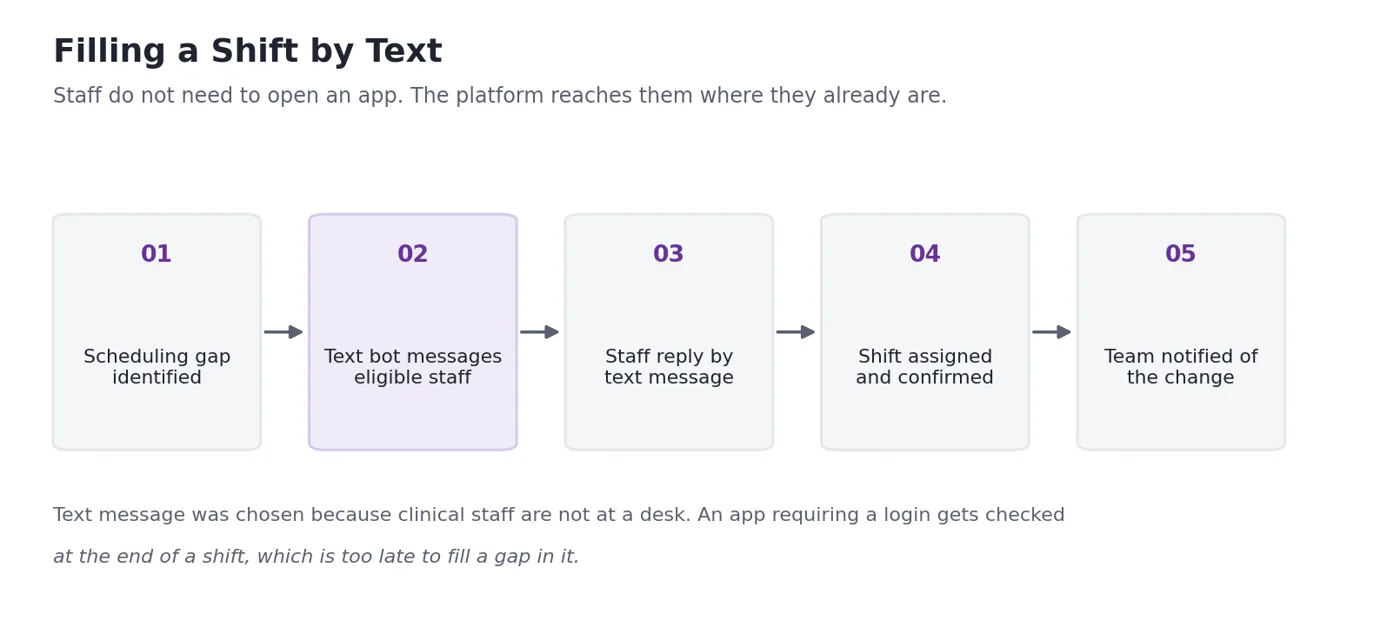
When a gap appears, the platform messages eligible staff directly and assigns the shift from their reply. Clinical staff aren’t at a desk, and an app that needs a login gets checked at the end of a shift, not during one. Reaching people where they already read messages is the difference between a gap filled in minutes and a gap filled by a phone tree.
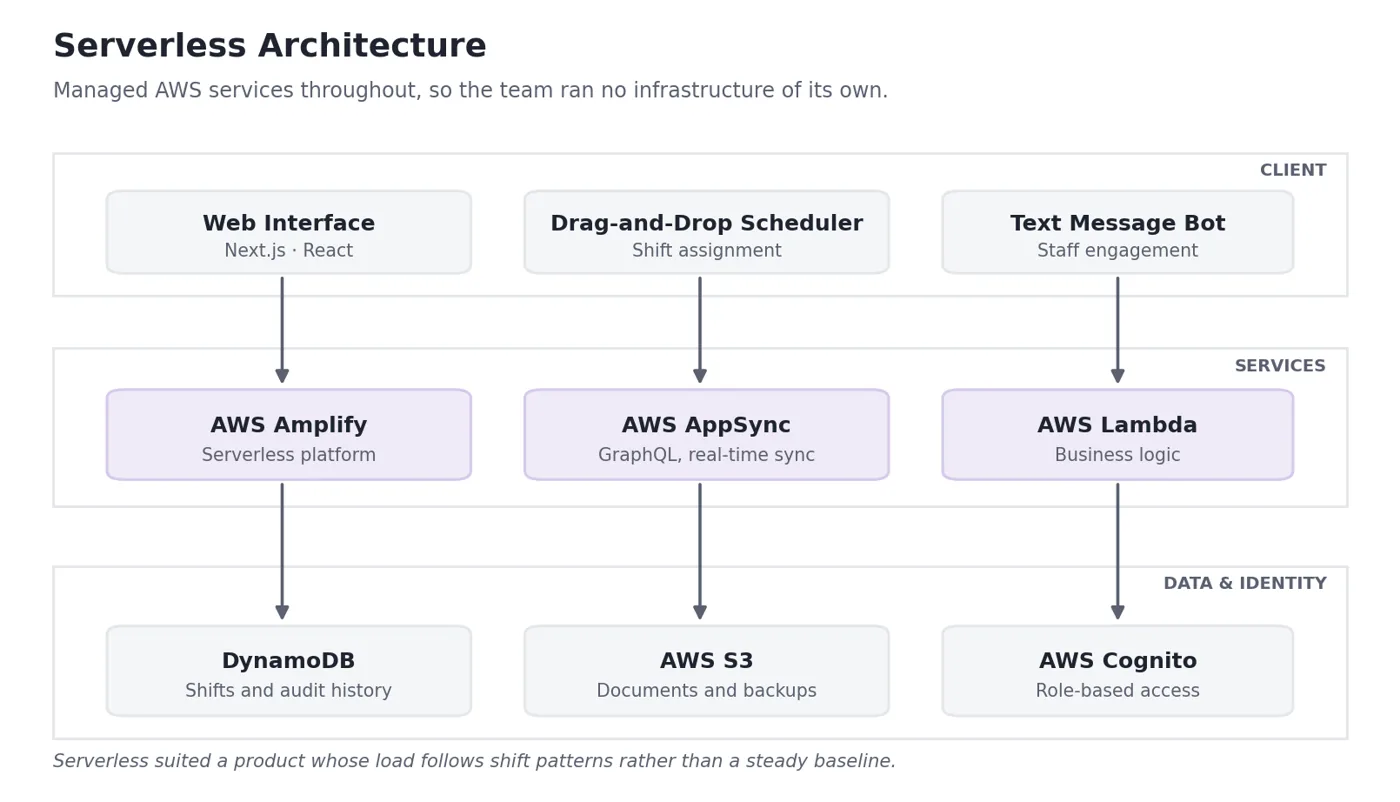
The platform runs entirely on managed AWS services: Amplify for the serverless foundation, AppSync for GraphQL with real-time sync, Lambda for business logic, DynamoDB for shifts and audit history, S3 for documents and Cognito for identity and roles. Scheduling traffic spikes around handovers and roster publication, so paying for idle servers would have been the wrong model.
Results
Cloud scheduling took over from spreadsheets, cutting the admin work around every roster change.
Live availability and automatic notifications keep managers, schedulers and staff on the same page.
Teams manage their own schedules without technical support.
Role-based access controls who can see and change sensitive scheduling data.
Simpler scheduling and fewer manual tasks improved satisfaction and coordination.
Delivered on time, with user manuals, API and deployment documentation.
Client feedback
They were communicative and were always available to respond to our questions.
Technologies we used
Case studies
Scaling Commercial Real Estate Operations With a Custom-Branded Client Portal
Read the case studyWealth Management Platform With Secure Gateways and User Controls
Read the case studyA Certified Salesforce AppExchange Assignment Engine
Read the case studyStart a project
Tell us what you are trying to build. We will reply by email with questions, not a sales pitch.